Values in, envelope out.
With the Node-RED package there is no sealing by hand: your flow hands over values, the package builds and sends the envelope. andon out takes them in the flow, and the config node andon-view behind it holds your view's keys and tiles.
No Node-RED source? How to build the document, the envelope and the upload yourself is in the reference.
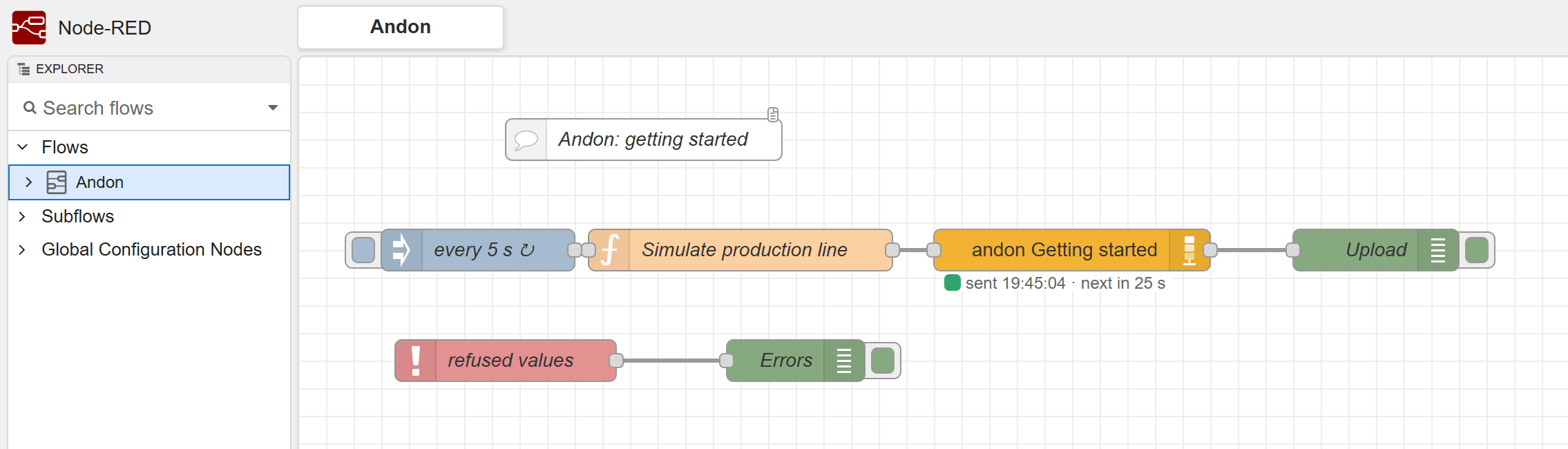
andon out reports the last upload.In the flow and behind it.
andon out in the flow
Where you wire your sources. msg.topic is the tile ID, msg.payload the value. The status under the node shows the last upload.
andon-view config node
Not in the flow but behind andon out, the way a broker sits behind an MQTT node. It holds view ID, write secret and content key from the .env, and the tiles from the template. It collects, checks, encrypts and uploads.
Where to find it: double-click andon out, then the pencil next to View. That is where Import .env and Import template are. Every config node is also listed in the menu under Configuration nodes.
Several views: each view is an andon-view of its own, with its own .env. Several andon out nodes may feed the same view; their values go out together in one upload.
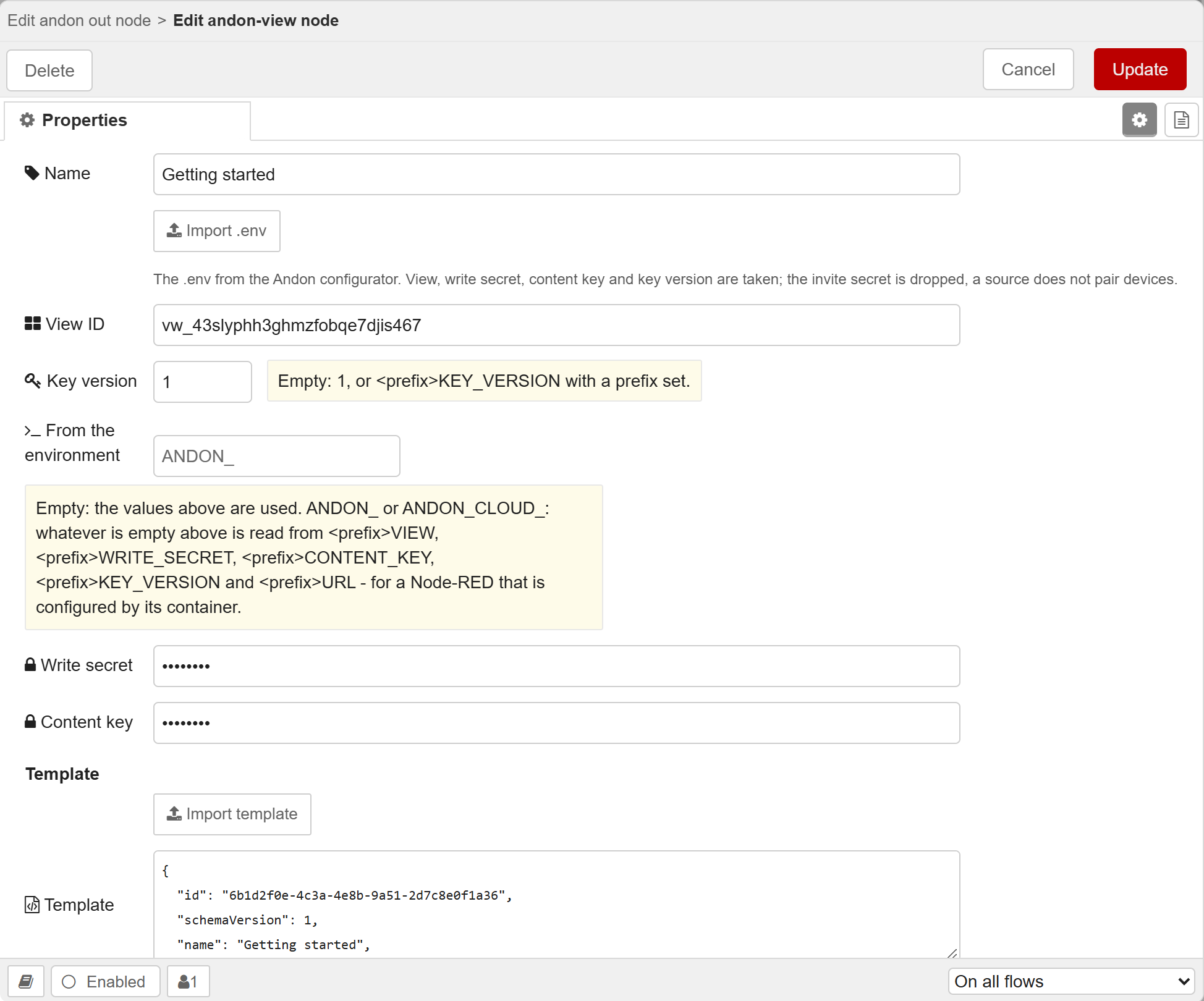
andon-view, opened with the pencil next to View in andon out: Import .env at the top, then the keys, the prefix for the environment and the template.Install
In Node-RED, open Manage palette, search for andon and install it. Node-RED 3.0 or newer.
Create a view
Create a view in the configurator, download the .env and scan the QR code with the app. The package ships the example with four ready tiles. From the configurator you need only the .env.
Import the example
In Node-RED: menu → Import → Examples → node-red-andon → Andon basics. The flow lands in the tab that is open. A second example, All tile kinds, has a tile of every kind and shows every form each takes.
Add the keys
In andon out, the pencil next to View, then Import .env only. A template would replace the four tiles the simulator sends to. Update and Done.
Deploy
andon out turns green, and the four tiles arrive in the app.
// In front of andon out. Its dialog lists every
// form each tile takes; "Insert example flow"
// writes them all into a node like this one.
// msg.topic is the tile ID from the view.
node.send({ topic: 't_oee', payload: 79.3 });
// Text works too: "79.3" as MQTT delivers it.
node.send({ topic: 't_status',
            payload: { value: 'Running', status: 'ok' } });

// A line or a bar over time: each number is appended.
// msg.timestamp (ms or ISO) sets the time,
// msg.series picks the series.
node.send({ topic: 't_temp', payload: 180.4 });
// [time, value] pairs replace the series:
node.send({ topic: 't_temp', payload: [
  ['2026-10-03T08:00:00Z', 179.6],
  ['2026-10-03T08:01:00Z', 180.4] ] });

// Several tiles in one message, without a topic:
node.send({ payload: { t_oee: 79.3, t_status: 'Running' } });

// Or a whole view document you built yourself;
// it replaces the view's state:
// node.send({ payload: myViewDocument });
return null;
The node shows what each tile takes.
Look it up in the dialog
Double-click andon out: under Tiles, every tile of your template with every form it takes, each with an example. A line, say, takes a number, a number with msg.timestamp, pairs of time and value, or a whole series.
Insert example flow
The button below puts an inject and a function node in front of andon out, wired up. The function node sends a value to every tile every 30 s; every other form is listed under it, commented out.
All tile kinds
A second example in the package: a view with every kind of tile and exactly that function node. In Node-RED: menu → Import → Examples → node-red-andon → All tile kinds, then import the .env.
Incomplete? Without the .env, Node-RED marks andon out as not configured before you deploy. Without the template, the node shows “no template” after the deploy: it then takes whole view documents only.
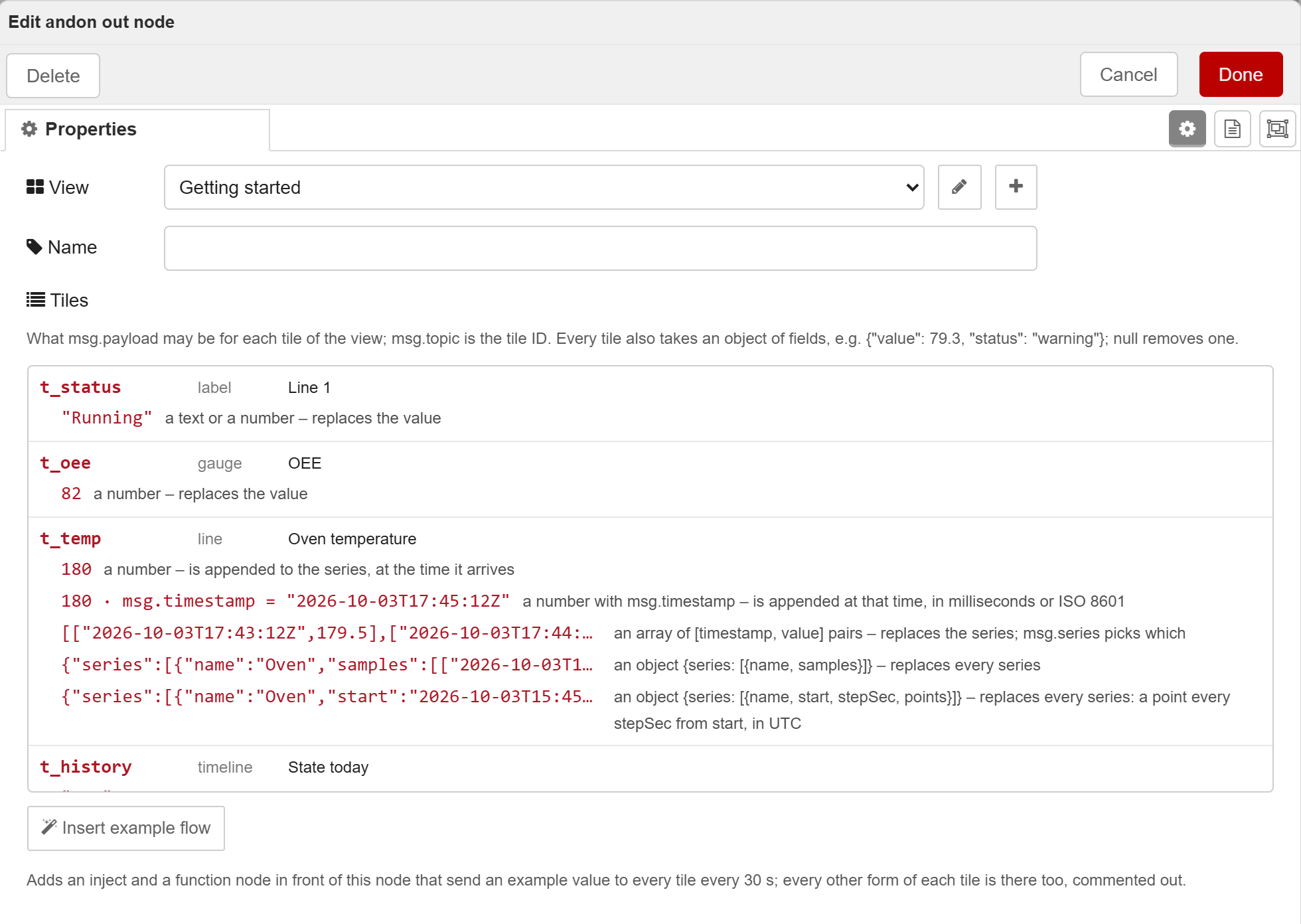
andon out in the example “Andon basics”: every tile with its forms, Insert example flow below.What a value does
| Tile | msg.payload | Effect |
|---|---|---|
label | 79.3 · "Running" | replaces the value. Text that looks like a number becomes one if the template has a number there. |
gauge, progress, donut | 79.3 | replaces the value; for donut the number in the centre |
line, bar over time | 31.9 | appended as a point, at the current time or msg.timestamp, to the series in msg.series. Only to a series of samples: a series on a stepSec/points grid has no time for it. The first value replaces the template's start points. The last 60 points are kept, adjustable under Time series. |
line, bar over time | [["2026-10-03T08:00:00Z", 31.9], …] | pairs of time and value replace the series in msg.series, one on a grid too |
line, bar over time | { "series": [{ "name": "A", "start": …, "stepSec": 3600, "points": [12, 30] }] } | replaces every series, as samples or on a grid of start, stepSec and points. Times in UTC, as toISOString() writes them. |
bar with categories, pie, donut | [12, 7, 3] | replaces the values, one per category, of the series in msg.series |
bar with categories, pie, donut | { "categories": ["A", "B"], "series": [{ "name": "A", "values": [4, 7] }] } | replaces categories and values together |
bar with categories and one series | { "series": [{ "name": "A", "values": [4, 7], "statuses": [null, "warning"] }] } | a verdict per bar: ok, warning, critical or null |
table | [["Press 1", 42.7], ["Press 2", null]] | replaces the rows. A row is an array of cells or an object with cells and status. |
timeline | "fault" | starts a segment in this state, on the lane in msg.lane. The same state again changes nothing. The first one replaces the template's start segments. |
timeline | { "from": "2026-10-03T06:00:00Z", "to": "2026-10-03T14:00:00Z" } | moves the time axis. What lies before from is trimmed. |
| any tile | { "value": 79.3, "status": "warning" } | sets the fields it names; null removes one |
gauge with a value that does not fit | "n/a" | is refused and goes to the Catch node, with a sentence on what the tile takes. The view stays as it was. This holds for every tile. |
Settings in andon-view
| Field | Default | Effect |
|---|---|---|
| Interval | 30 s, 10 at least | At most one upload per interval. The first change after a quiet spell goes out at once; many values become one envelope. |
| Stale after | empty: three times the interval | Sets staleAfterSec. While values keep coming, unchanged ones too, a heartbeat goes out after half that time. When nothing comes any more, the view turns grey. |
| Wake devices | when a status changes | Or on every upload, or never. Every wake-up costs battery. |
| status from bands | off, per tile | Derives the status from the bands instead of sending it with the value. |
| Time series | 60 points, no maximum age | Keeps the last n points of a series and nothing older than the maximum age. 0 switches a limit off. |
| Key version | empty: 1 | The key version kv that goes into every envelope. It comes from the .env and only goes up when you generate a new content key in the configurator. Empty means 1, so the value can come from the environment as well. |
| Write secret, Content key | from the .env or the environment | Stored encrypted in Node-RED's credentials and left out of every export. Set credentialSecret in settings.js for this. The import drops the invite secret. |
| From the environment | empty | A prefix such as ANDON_: whatever the dialog leaves empty is read from environment variables with the same names as in the configurator's .env. For a Node-RED in a container, whose flow then holds no secrets. |
On 429 the package waits for Retry-After; on network errors and 5xx it doubles the pause, starting at the interval, up to five minutes. A 401, 404, 400 or 413 stops the uploads until the next message.
Design a view. Pair it. Manage it.
In the configurator you put the tiles together and see them as on the iPhone, checked against the schema. Then you create the view, pair your iPhone or iPad by QR code and send a first test. You manage the devices there too. The content key never leaves your browser.